+50 EXP received!
What assignments are pending?
Student mascot — students check and submit assignments via LINE
14 submissions received
Reminded! Done!
Mr.Kaituang mascot — auto-reminder and grading assistant

Never worry about
student assignments

Assign →Remind →Grade →Record scores →Store

Assignments, in-class exams, live board, templates, and a classroom map — all in one place

8,300+
teachers on board
340,000+
students in the system
830,000+
submissions collected
Timed in-class exams
Live on the class screen
Template Universe
Classroom seating map
Automatic reminders
AI-powered grading
Google Drive storage
Mystery egg gamification
Works through LINE
Works with LINE / Messenger / OpenChat
More on-time submissions
Teachers get real rest
Timed in-class exams
Live on the class screen
Template Universe
Classroom seating map
Automatic reminders
AI-powered grading
Google Drive storage
Mystery egg gamification
Works through LINE
Works with LINE / Messenger / OpenChat
More on-time submissions
Teachers get real rest
Problems We Solve
Mr.Kaituang helps
teachers solve these problems
😤
Spending every month manually chasing students for work
✔️
Track who submitted and who didn't, with reminders that name names
🙋
Students keep asking about assignments multiple times a day
✔️
Students check their own status anytime. Gamification motivates them to want to submit
⏰
Teaching many classes, spending hours grading and scoring
✔️
AI assists with grading / records scores and reports results per student
😰
Having to juggle multiple apps to get things done
✔️
Mr.Kaituang handles all kinds of tasks — command it right from LINE
From teachers
Real words from real classrooms
A review message from a real teacher
A review message from a real teacherA review message from a real teacher
A review message from a real teacherA review message from a real teacherA review message from a real teacher
Get started
Whichever chat your class uses —
you're running in 2 minutes
LINE
Have a LINE class group

Students use it right in the classroom's LINE group

Messenger or LINE OpenChat

Copy the announcement into the class chat — students join with the class code and submit on the web

OpenChat allows no bots? No problem — one link works in any chat

*If students have no phones, teachers can project the screen to update statuses

For teachers

One place to teach,
assess, and track progress

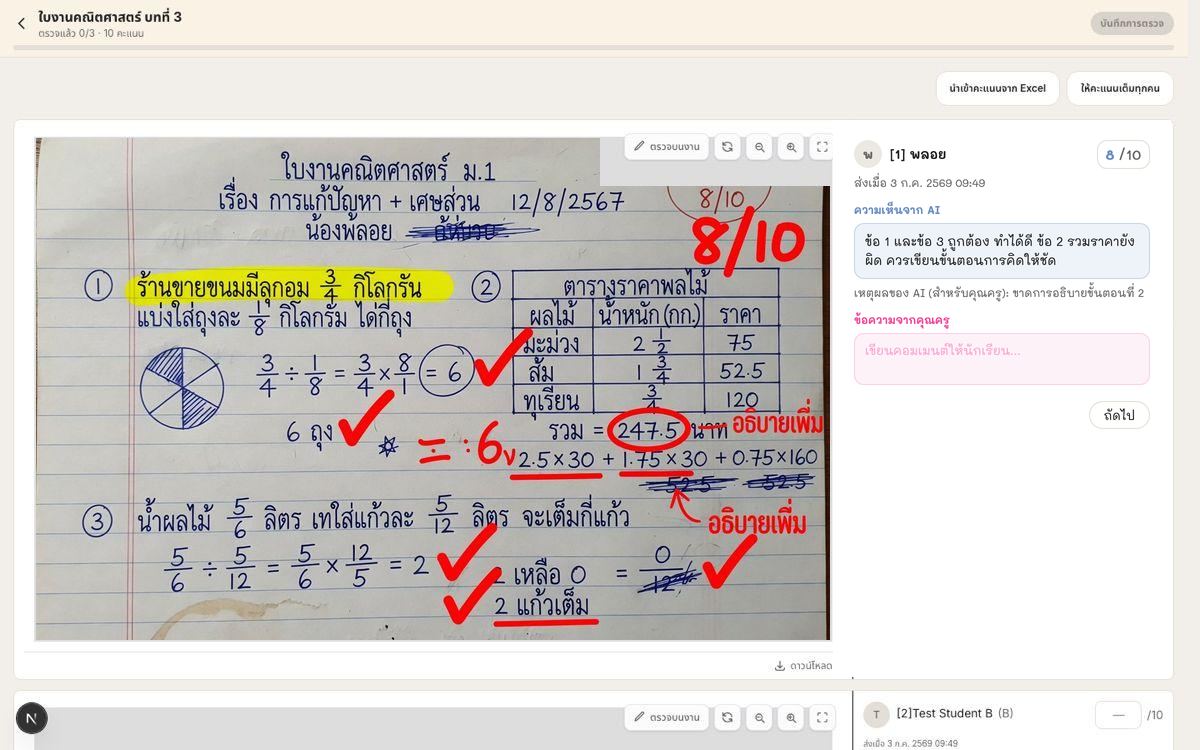
The grading page with pen annotations and a visible AI feedback message

Grade several times faster

  • ✅ AI grades first against your rubric; you review and give feedback your way
  • ✅ Annotate student work with a pen — iPad ready
  • ✅ Flow through the whole class one by one, with results reported per student
  • ✅ Quizzes grade themselves the moment students submit
  • ✅ Supports all kinds of work — video, images, links, PDFs, slides, and more
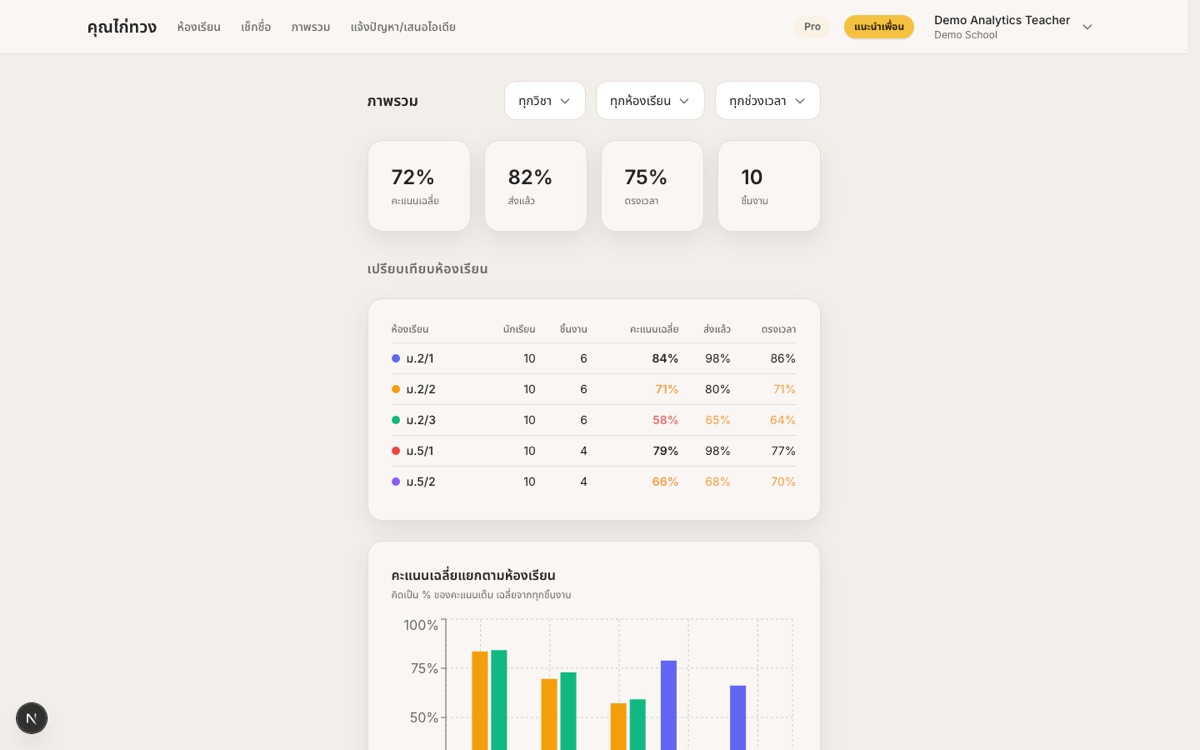
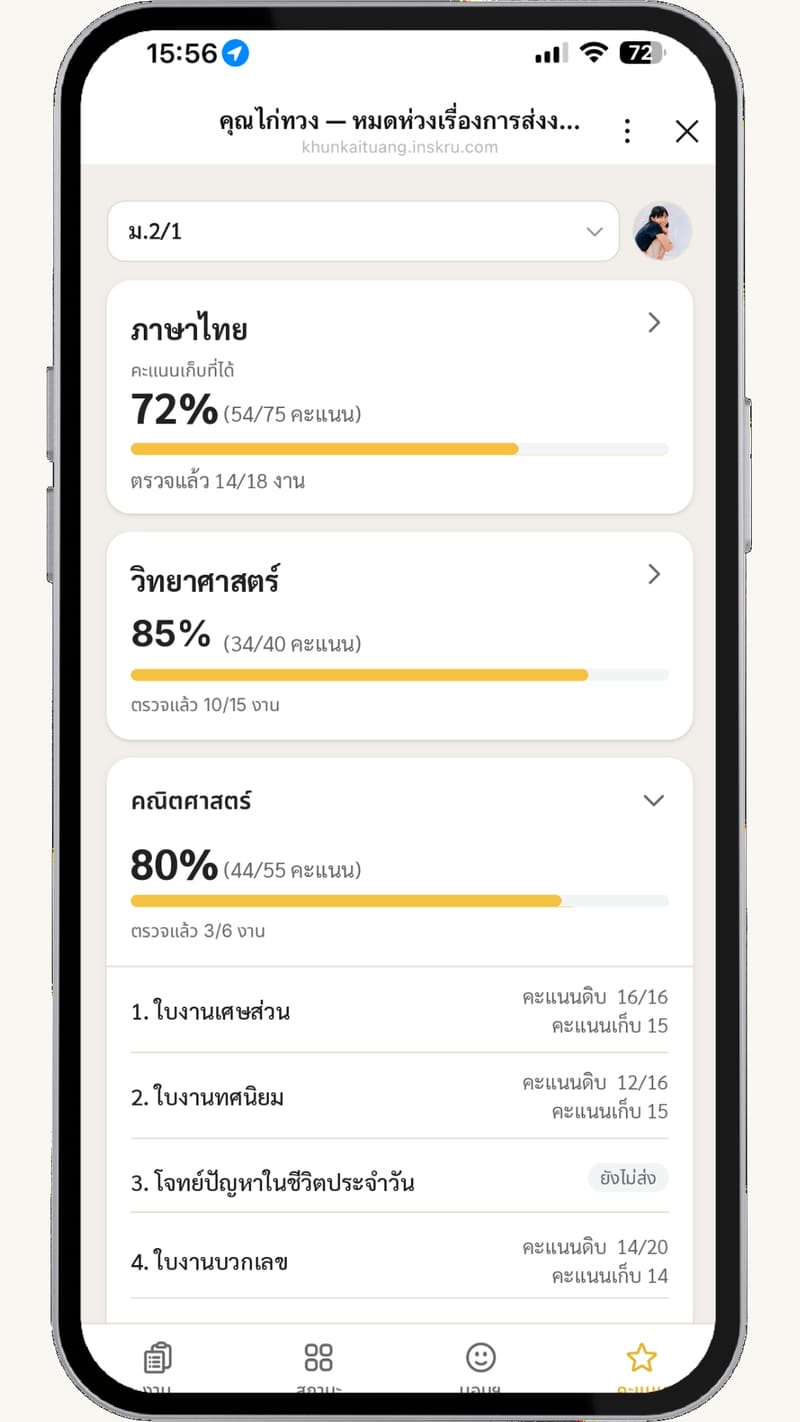
The score overview page on the dashboard

Scores reach everyone who needs them

  • ✅ One grade book: every assignment, weights, pass/fail thresholds
  • ✅ One-click remedial assignments for students below the bar
  • ✅ Class comparison overview — spot the room falling behind early
  • ✅ Excel export and a tracking link for parents
  • ✅ Attendance per period — from a classroom map or a list — with full history
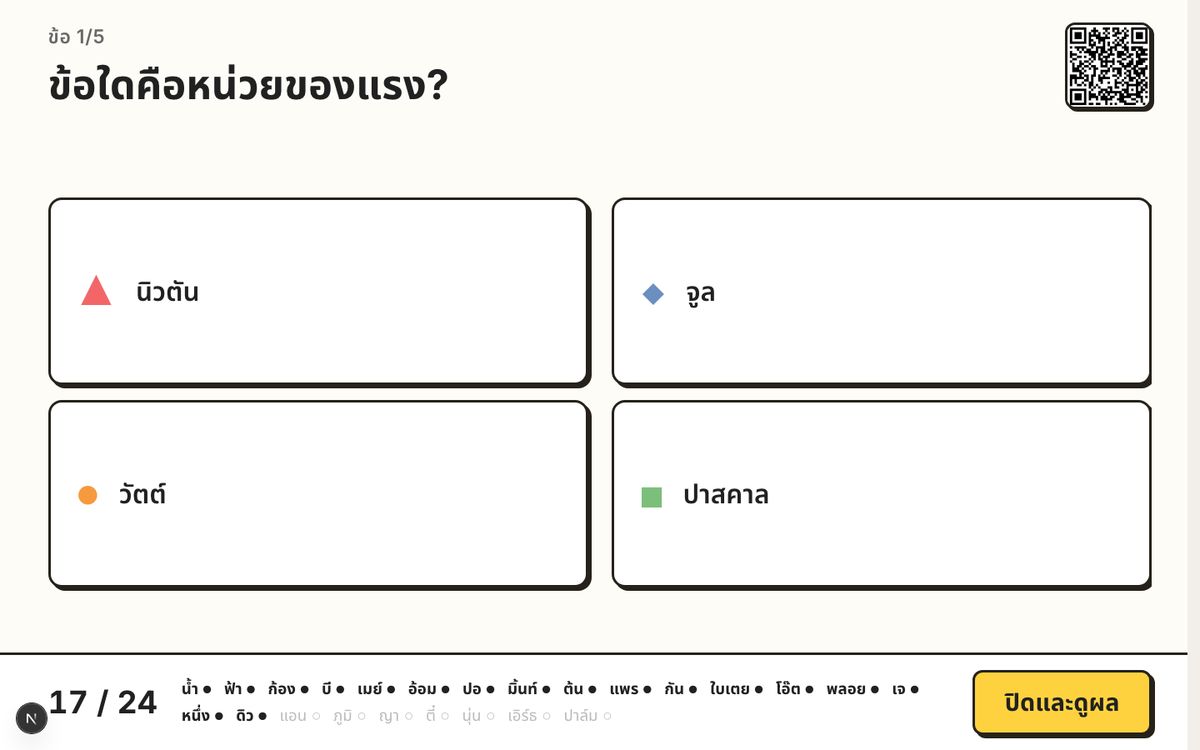
Live board on the classroom projector — a question on screen, students answering on their phones, results still hidden

Live board

Like Kahoot — project a question on the class screen. Students answer on their phones.

  • ✅ One question at a time on the projector — walk the room with a clicker
  • ✅ Students join with a QR or link and answer on the phone
  • ✅ Results stay hidden until you reveal them
Time left12:00
Live monitor1 / 3 submitted
Mintleft the page 4×away 1:42
Nidaleft the page 2×
Phumsubmitted

In-class exams

Start the whole class together. The live monitor flags anyone who leaves the page.

  • ✅ You press Start — students wait on a locked screen until the questions unlock
  • ✅ Optional time limit, plus shuffled questions and choices per student
  • ✅ Live monitor and a log of every time a student leaves the exam page
  • ✅ Anyone who missed it — open a make-up from one button on the exam
Add LINE to get started for free!Start a 1-month free trial — no card needed
For Students
Students manage themselves even better
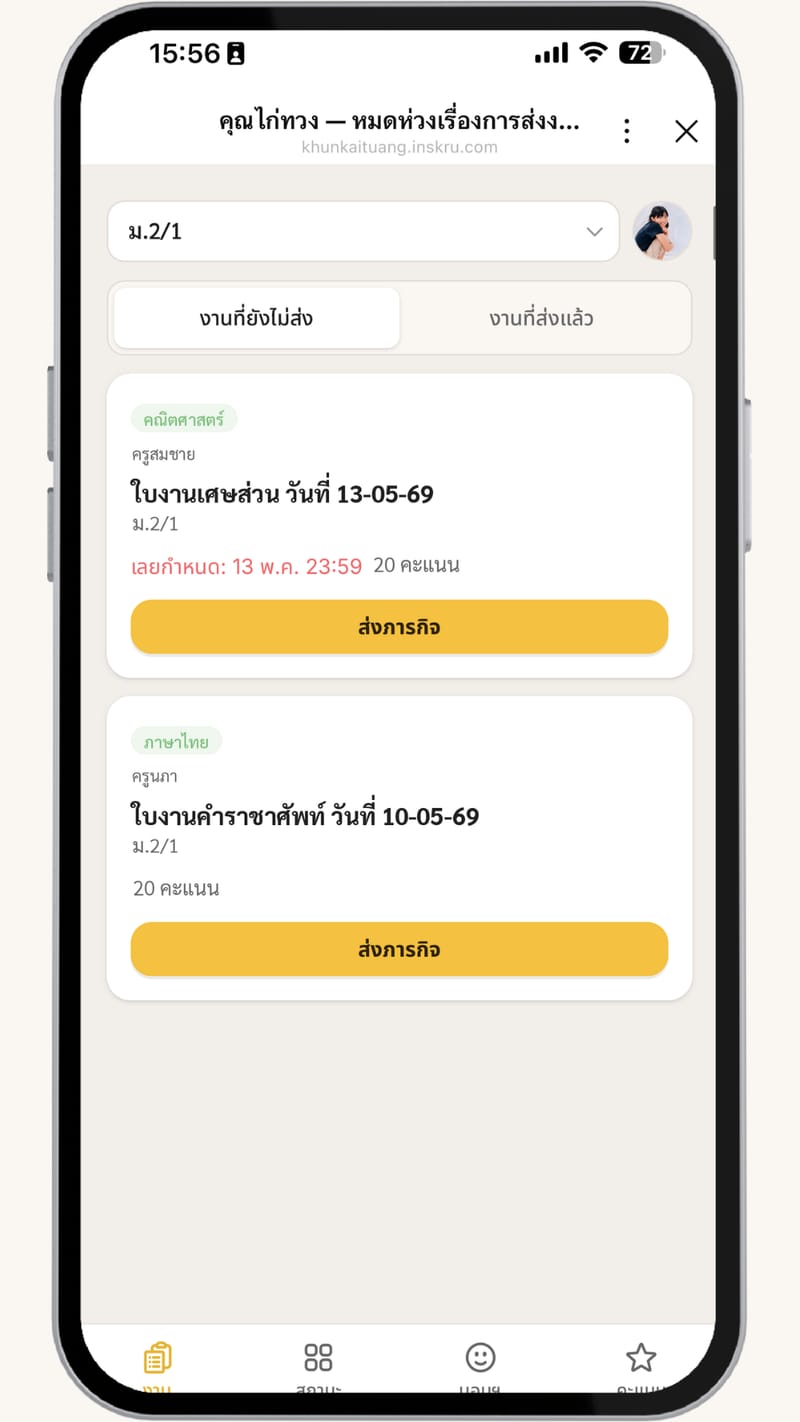
Student assignments screen on mobile — pending assignments with due dates and submit buttons
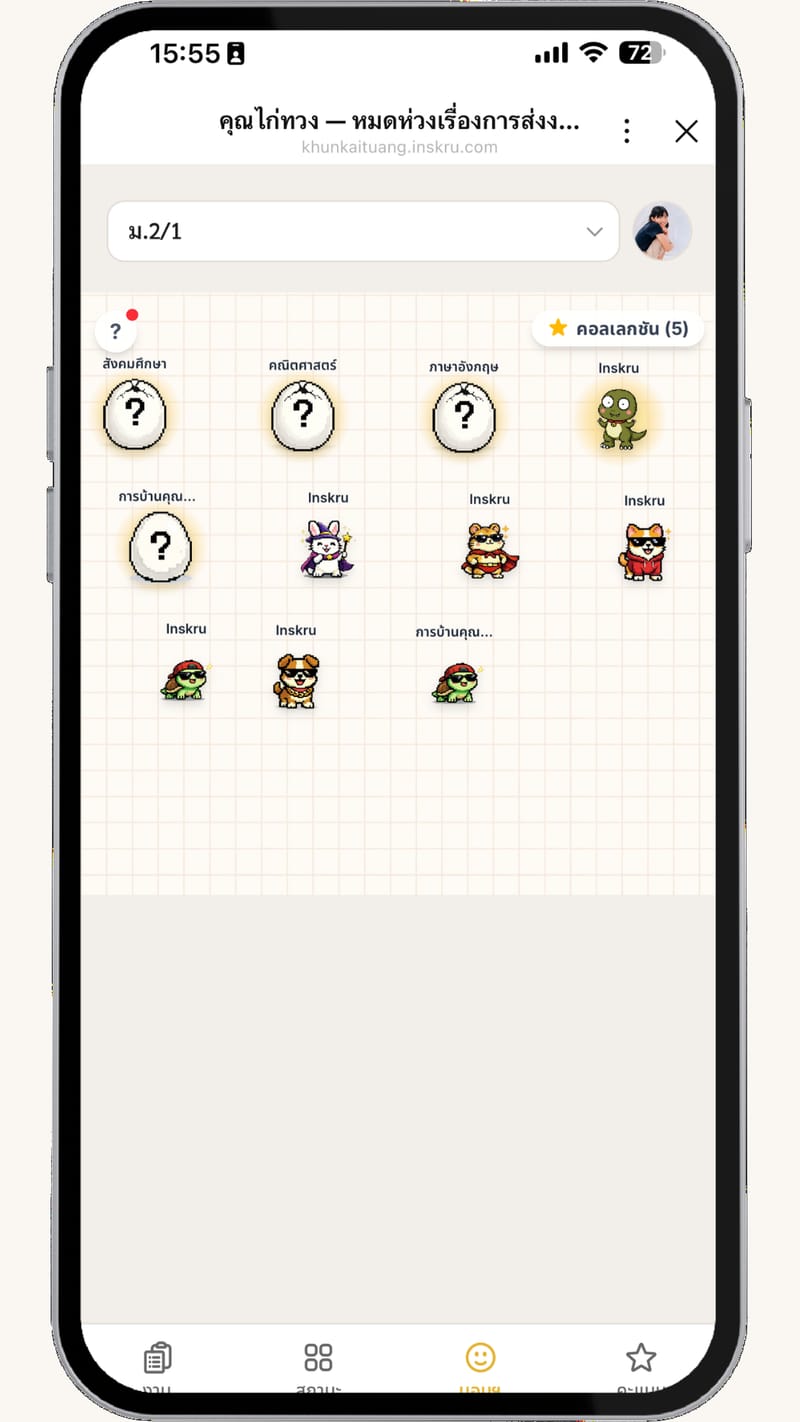
Student mascot — mystery egg gamification system, submit to earn EXP
Mystery Egg Gamification
Submit assignments, earn EXP to hatch eggs — what will yours be?
❓
Unknown
🐣
Hatching
🐢
Hatched!
EXP
72%
Teachers can also hand out extra EXP directly — not tied to submissions

Check in with your monster

Keep it with your monster, or choose a teacher you want to talk to and confirm before sending a nudge.

What is the weather in your heart lately?

SunnyDoing okayHeavy-heartedVery heavy-heartedHard to describe
FAQ
Questions, answered
Do students need to install anything?

No — in a LINE group they use the LINE they already have, and classes not on LINE just open a link in the browser.

My class doesn't use LINE — can I still use it?

Yes — create a classroom without a group, copy one announcement link into Facebook Messenger, LINE OpenChat, or any chat, and students join with a class code and submit on the web.

Multiple classes, subjects, or co-teachers?

Yes — unlimited classes and students, and you can invite a co-teacher to share a subject.

Is student data safe?

Data is used for teaching only, work files back up to the teacher's own Google Drive, and we never use student data commercially.

Some students have no phone or LINE — can they still use it?

Yes — students can submit through a friend, or the teacher can submit for them. If the whole class has no phones, use the LITE package.

What kinds of work are supported?

Assignments of every kind — video, images, links, PDFs, slides — plus quizzes, timed in-class exams, a live board you project on the class screen, a template gallery, and a classroom seating map.

Where can I reach the team and community?

Join the Mr.Kaituang LINE OpenChat group

Can I run a real exam, not just a quiz?

Yes — exam mode starts the whole class together, with an optional timer, shuffled questions, a live monitor, and a log of students leaving the page. Anyone marked on leave can sit a make-up session later.

Can I take attendance from a seating chart?

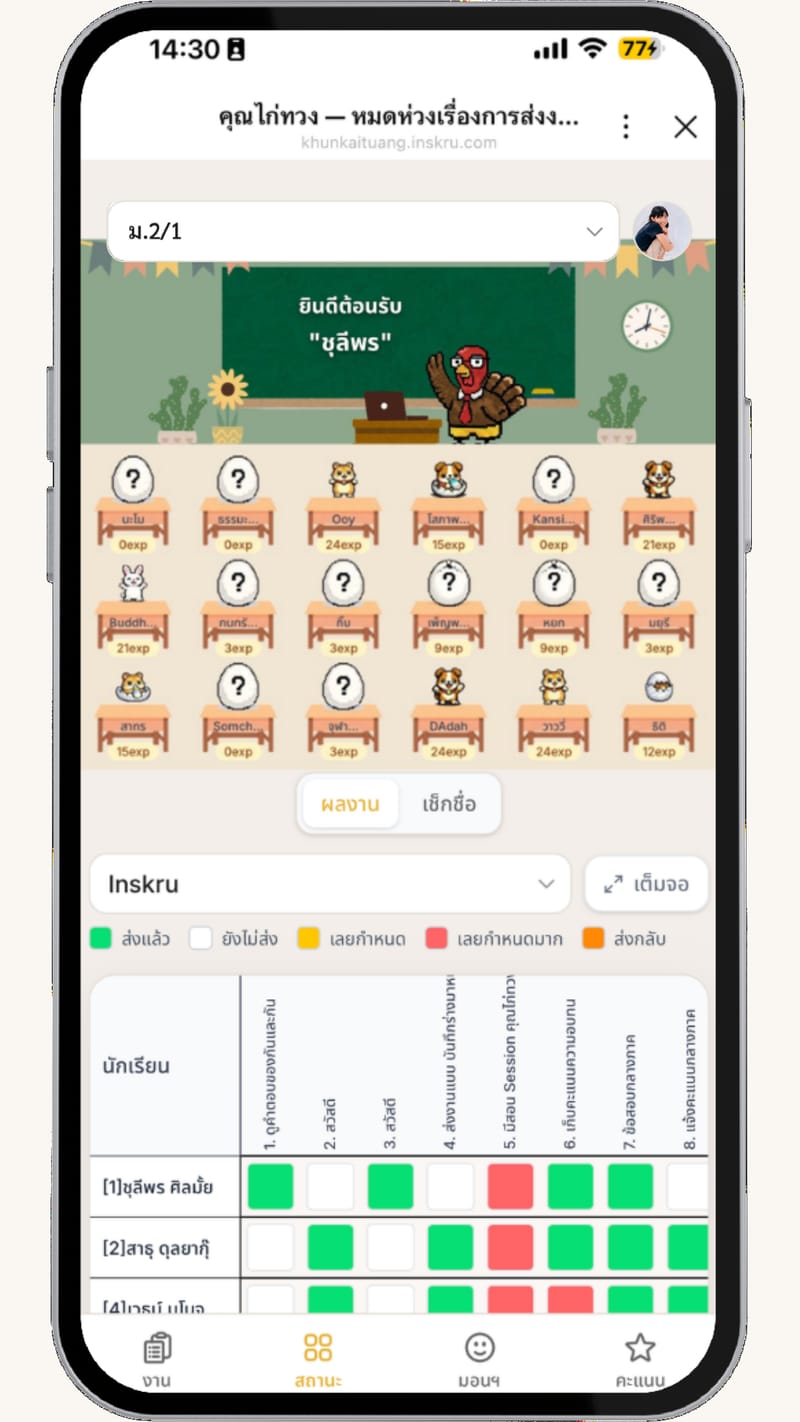
Yes — arrange the room once by dragging students onto desks, then tap a desk to mark attendance or hand out EXP. Each subject can have its own layout if the seats change.

Can I run a live quiz on the classroom screen?

Yes — Live board projects one question at a time. Students join with a QR or link and answer on their phones. Results stay hidden until you reveal them.


Mr.Kaituang mascot — start using for free via LINE

Time to focus on teaching
Let Mr.Kaituang
handle the boring stuff

Start free — no credit card required